Installing Trento Agents
Before you can install a Trento Agent, you must obtain the API key of your Trento Server. Proceed as follows:
-
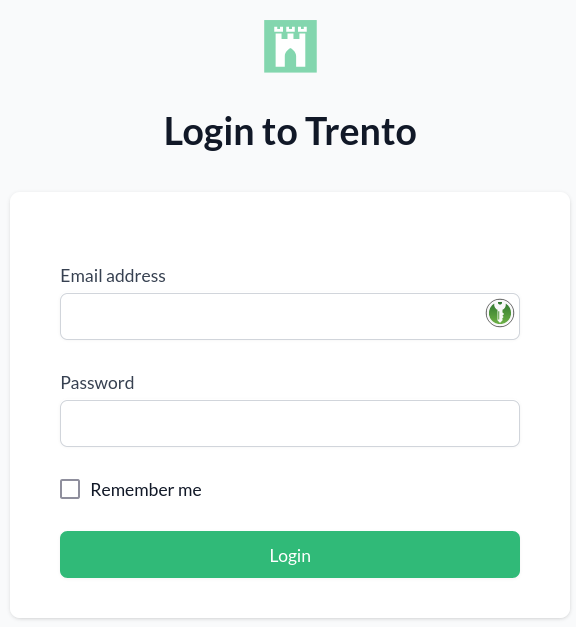
Open the URL of the Trento Web console. It prompts you for a user name and password:
-
Enter the credentials for the
adminuser (specified during installation of Trento Server). -
Click Login.
-
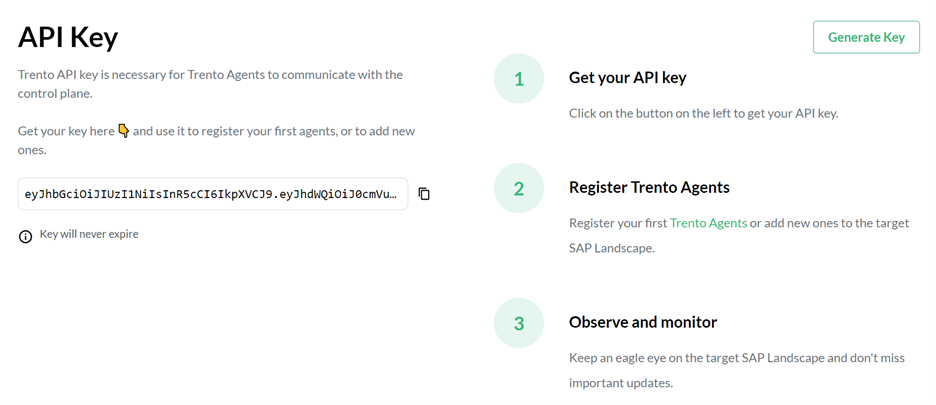
When you are logged in, go to Settings:
-
Click the Copy button to copy the key to the clipboard.
Install the Trento Agent on an SAP host and register it with the Trento Server as follows:
-
Install the package:
sudo zypper ref
sudo zypper install trento-agent
A configuration file named
/agent.yamlis created under/etc/trento/in SUSE Linux Enterprise Server for SAP applications 15 or under/usr/etc/trento/in SUSE Linux Enterprise Server for SAP applications 16.To protect sensitive information, the
agent.yamlconfiguration file is automatically created with600permissions so that only therootuser can read or modify it. -
Open the configuration file and uncomment (remove the
#character) the entries forfacts-service-url,server-urlandapi-key. Update the values if necessary:-
facts-service-url: the address of the AMQP RabbitMQ service used for communication with the checks engine (wanda). The correct value of this parameter depends on how Trento Server was deployed.In a Kubernetes deployment, it is amqp://trento:trento@TRENTO_SERVER_HOSTNAME:5672/. If the default RabbitMQ username and password (
trento:trento) were updated using Helm, the parameter must use a user-defined value.In a systemd deployment, the correct value is
amqp://TRENTO_USER:TRENTO_USER_PASSWORD@TRENTO_SERVER_HOSTNAME:5672/vhost. IfTRENTO_USERandTRENTO_USER_PASSWORDhave been replaced with custom values, you must use them. -
server-url: URL for the Trento Server (http://TRENTO_SERVER_HOSTNAME) -
api-key: the API key retrieved from the Web console -
prometheus-mode: Determines how metrics are collected. Valid values arepull(default) fornode_exporter-based collection, orpushfor Grafana Alloy-based collection. See Prometheus metrics configuration for details.
-
-
If SSL termination has been enabled on the server side, you can encrypt the communication from the agent to the server as follows:
-
Provide an HTTPS URL instead of an HTTP one.
-
Import the certificate from the Certificate Authority that has issued your Trento Server SSL certificate into the Trento Agent host as follows:
-
Copy the CA certificate in the PEM format to
/etc/pki/trust/anchors/. If the CA certificate is in the CRT format, convert it to PEM using the followingopensslcommand:openssl x509 -in mycert.crt -out mycert.pem -outform PEM -
Run the
update-ca-certificatescommand.
-
-
-
Start the Trento Agent:
sudo systemctl enable --now trento-agent -
Check the status of the Trento Agent:
sudo systemctl status trento-agent ● trento-agent.service - Trento Agent service Loaded: loaded (/usr/lib/systemd/system/trento-agent.service; enabled; vendor preset: disabled) Active: active (running) since Wed 2021-11-24 17:37:46 UTC; 4s ago Main PID: 22055 (trento) Tasks: 10 CGroup: /system.slice/trento-agent.service ├─22055 /usr/bin/trento agent start --consul-config-dir=/srv/consul/consul.d └─22220 /usr/bin/ruby.ruby2.5 /usr/sbin/SUSEConnect -s [...] -
Repeat this procedure on all SAP hosts that you want to monitor.
Prometheus metrics configuration
Trento collects system metrics (CPU, memory) using different exporters depending on the operating system version:
-
SUSE Linux Enterprise Server for SAP applications 15: Uses
node_exporterin pull mode by default. -
SUSE Linux Enterprise Server for SAP applications 16: Uses Grafana Alloy in push mode.
| SUSE Linux Enterprise Server for SAP applications 15 SP7 also provides Grafana Alloy as an optional package. Users who prefer to use Alloy on SUSE Linux Enterprise Server for SAP applications 15 SP7 can manually install and configure it following the same procedure described for SUSE Linux Enterprise Server for SAP applications 16. |
When using Grafana Alloy (on SUSE Linux Enterprise Server for SAP applications 16 or optionally on SUSE Linux Enterprise Server for SAP applications 15 SP7), additional configuration is required. See the Prometheus integration documentation for details on configuring Alloy.
The following parameters control the metrics collection behavior:
prometheus-mode-
Determines how metrics are collected. Valid values are
pull(default) fornode_exporter-based collection, orpushfor Grafana Alloy-based collection. prometheus-exporter-name-
The name used to identify the exporter in Prometheus. Defaults to
node_exporterin pull mode orgrafana_alloyin push mode.
Pull mode parameters (SUSE Linux Enterprise Server for SAP applications 15)
These parameters apply when prometheus-mode is set to pull (the default):
prometheus-node-exporter-target-
Specifies IP address and port for the node exporter as
<ip_address>:<port>. In situations where the host has multiple IP addresses and/or the exporter is listening to a port different from the default one, configuring this setting enables Prometheus to connect to the correct IP address and port of the host. If not set, Prometheus uses the lowest IPv4 address discovered in the host with default port 9100.
The legacy parameter name node-exporter-target is still supported for backward compatibility.
|
Push mode parameters (Grafana Alloy)
These parameters apply when prometheus-mode is set to push, which is required for SUSE Linux Enterprise Server for SAP applications 16 and optional for SUSE Linux Enterprise Server for SAP applications 15 SP7. They are used both by the agent and by the trento-agent generate alloy command to produce the Grafana Alloy configuration:
prometheus-url-
The Prometheus remote write endpoint URL where Alloy will push metrics. Required in push mode.
prometheus-scrape-interval-
The interval at which Alloy scrapes local metrics. Defaults to
15s. Used bytrento-agent generate alloyonly. prometheus-auth-
The authentication method for the Prometheus remote write endpoint. Valid values are
none,basic(default),bearer, ormtls. Used bytrento-agent generate alloyonly. prometheus-auth-username-
Username for basic authentication. Required when
prometheus-authis set tobasic. Used bytrento-agent generate alloyonly. prometheus-auth-password-
Password for basic authentication. Required when
prometheus-authis set tobasic. Used bytrento-agent generate alloyonly. prometheus-auth-bearer-token-
Bearer token for authentication. Required when
prometheus-authis set tobearer. Used bytrento-agent generate alloyonly. prometheus-tls-ca-cert-
Path to CA certificate file for TLS verification. Used by
trento-agent generate alloyonly. prometheus-tls-client-cert-
Path to client certificate file for mTLS authentication. Required when
prometheus-authis set tomtls. Used bytrento-agent generate alloyonly. prometheus-tls-client-key-
Path to client private key file for mTLS authentication. Required when
prometheus-authis set tomtls. Used bytrento-agent generate alloyonly.
The trento-agent generate alloy command reads these parameters to generate the Grafana Alloy configuration file. See the Prometheus integration documentation for detailed instructions on deploying the generated configuration.
|